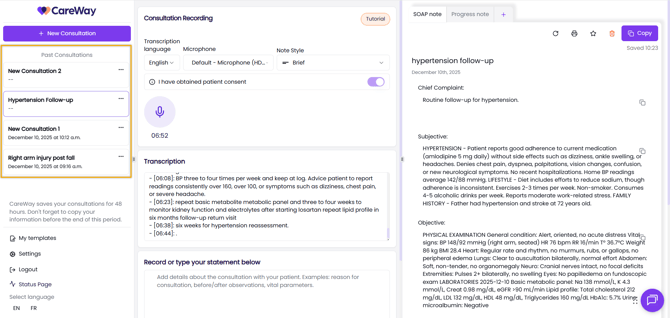
Once you finish recording a consultation, you can either generate the note immediately or close the consultation, which will save it as a draft. You can return to any draft or generated consultation within 48 hours, after which all data is deleted for security reasons.
Accessing Draft Consultations and Generated notes
You can access your consultations from two locations in the mobile app:
From the New Consultation Tab
-
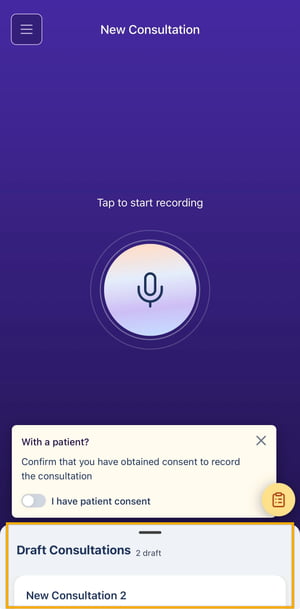
At the bottom of the screen, the Draft Consultations panel displays consultations that do not have generated notes.
-
Drag the panel upward to open it.
-
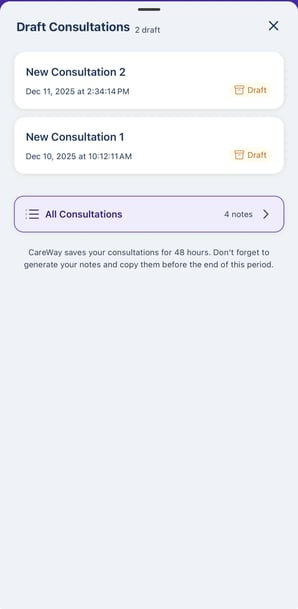
Draft consultations appear at the top of the list, followed by consultations with generated notes in that All Consultations section.
From the All Consultations Tab
-
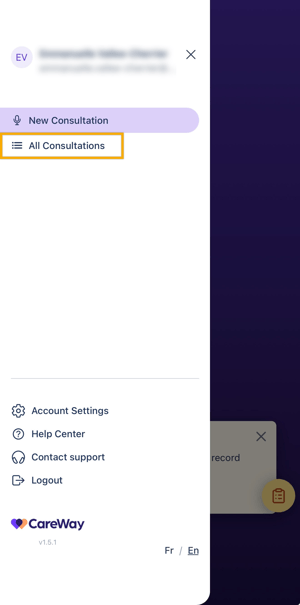
Open the left side menu (three-line icon).
-
Select All Consultations to view both draft and generated consultations from the past 48 hours.
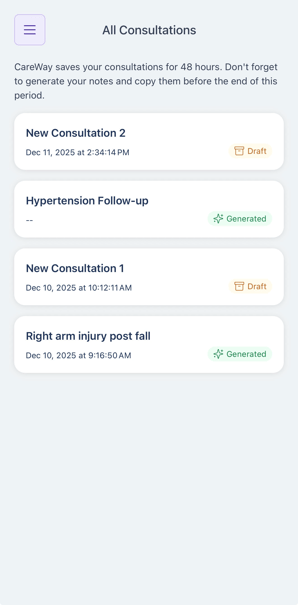
Viewing and Finishing a Past Consultation
Draft Consultations
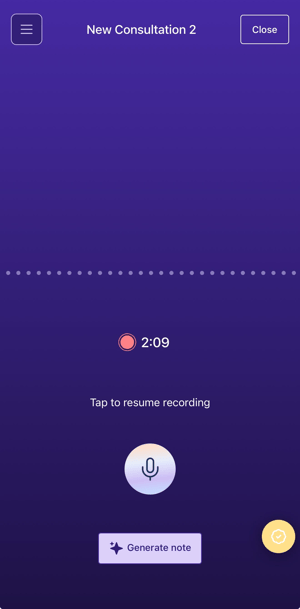
A draft consultation indicates that the recording was completed or paused, but the note has not yet been generated.
When selecting a draft consultation:
-
You will be returned to the recording screen.
-
You may continue recording the consultation, either with the patient or by dictating additional details to add to the note.
-
You may generate the note from this screen when ready.
Generated Notes
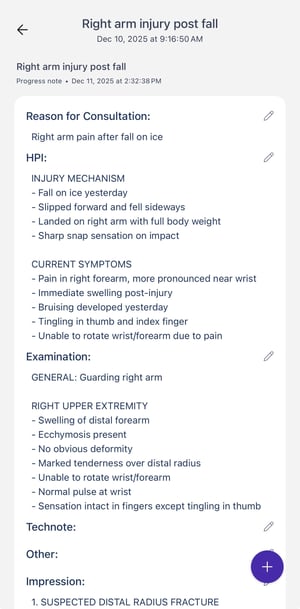
A generated consultation indicates that the note has already been produced.
When selecting a generated consultation:
-
You will view the generated note.
-
You may edit the note as needed.
Accessing Consultations on the Web Application
Draft consultation and generated notes are accessible both on the mobile app and the web application.
From the web application, you can generate the note if it was not done already, add more details and regenerate the note, and print or copy the note.