
Selecting a note type or template
When generating a note:
-
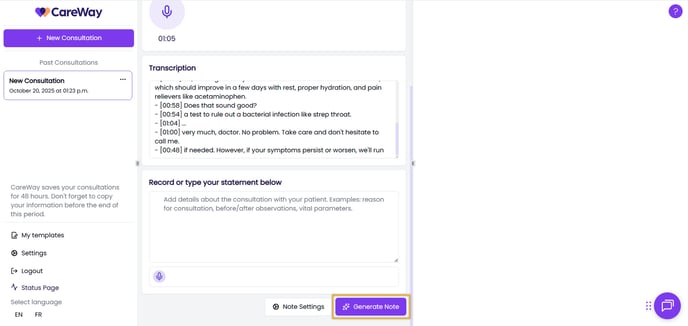
Click Generate Note to create a note from the template set as your default in the settings.
-
To use a different note type or template:
-
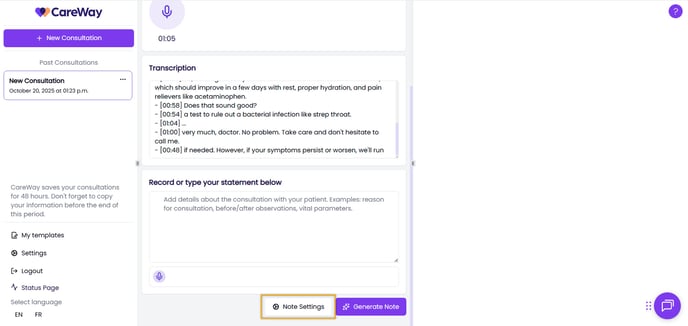
Click Note Settings.
-
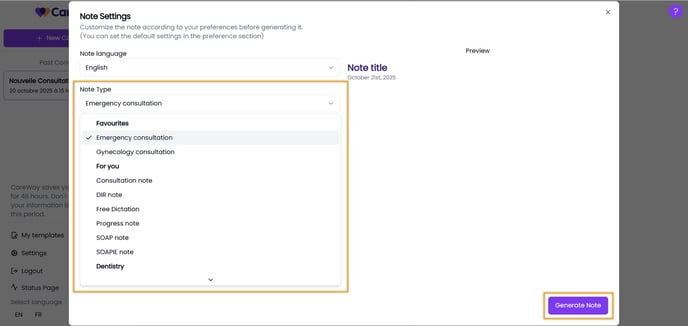
Select a note type from the list of templates already available in CareWay, or choose one of your custom templates directly from this list.
-
Generate the note.
-
It is highly recommended to customize your note templates to further optimize your use of CareWay.
When regenerating a note, you can also select a different note type to generate.
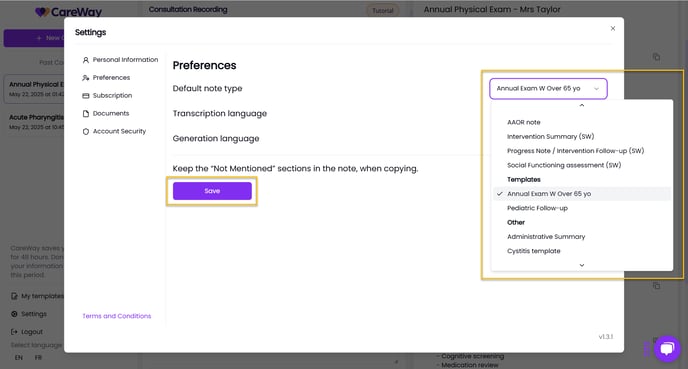
Default note type
The Progress Note is set as the default note type in CareWay. You can change this preference at any time.
Learn how to modify your default preferences.
Examples of note types available in CareWay
Here are some examples of commonly used note types and their use cases:
-
Progress Note: used to generate clinical follow-up notes; particularly useful in family medicine.
-
DIR Note: used to document data, interventions, or outcomes.
-
Free Dictation: allows documentation of a note in free text; useful for writing a letter to a referring physician.
-
SOAP / SOAPIE Notes: mainly used in urgent care settings.
-
AAOR Note: used in social work.
-
Other Note Types: CareWay also offers several other notes categorized by specialty.
The list of available note types will be updated and expanded over the coming months, including notes for different specialties.